

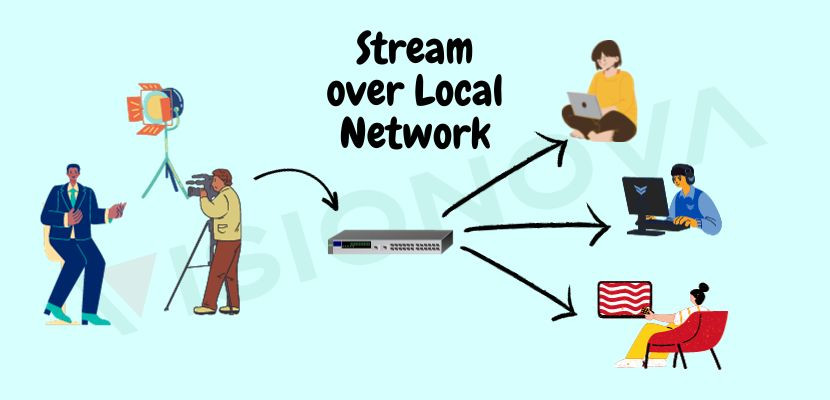
Streaming over LAN (Local Area Network) is a popular way to share media content, such as videos, music, and photos, between devices within a network. It allows users to access and stream media files from a central location, such as a server or a computer, to multiple devices connected to the same network.
Advantages
One of the main advantages of streaming over the LAN is that it provides a fast and reliable way to share media content without the need for an internet connection. This means that users can stream high-quality videos and music without experiencing buffering or lagging issues. streaming over LAN is a convenient and efficient way to share media content within a network. It provides a seamless streaming experience and eliminates the need for internet connectivity, making it an ideal solution for home and office.
There are several methods for streaming over LAN. These methods can be categorized in hardware and software solution. These solutions offer a range of features, such as remote access, transcoding, and media organization, to enhance the streaming experience.
Hardware streamers and decoders
Hardware streamers and decoders are devices that are designed to enhance the streaming experience over LAN. They are typically used in professional settings, such as conference rooms, classrooms, and broadcasting studios, where high-quality video and audio streaming is essential.
A hardware streamer is a device that captures and encodes video and audio signals from a source, such as a camera or a computer, and streams them over a network. It is designed to handle high-quality video and audio content.
On the other hand, a hardware decoder is a device that receives and decodes video and audio signals from a network and displays them on a monitor or a projector. It is designed to handle high-quality video and audio content.
Using hardware streamers and decoders for streaming
Using hardware streamers and decoders for streaming over LAN provides several benefits. First, it ensures high-quality video and audio streaming without any lag or buffering issues. Second, it allows for easy integration with other professional AV equipment, such as cameras, microphones, and projectors. Third, it provides advanced features, such as remote management to enhance the streaming experience.

Example of streaming over the LAN
Here's an example of streaming over a Local Area Network (LAN):
1- We are using VISION-TS0HD as the transmitter and VISION-RH0HD as the receiver.
2- Set up the IP addresses on the transmitter and receiver. The addresses should be on the same subnet and network.
3- Connect the transmitter to your camera (VISION-TS0HD supports SDI input).
4- You can choose UDP as the transmission protocol (Note: UDP requires a lossless and reliable network and is better suited for local area networks. However, it's not a good choice for the internet).
5- Set the destination IP (receiver's address) on the transmitter device.
6- Press the stream key on the transmitter.
7- On the receiver, you can press preview to see the video or connect the HDMI out to another display or use it on mixers.
